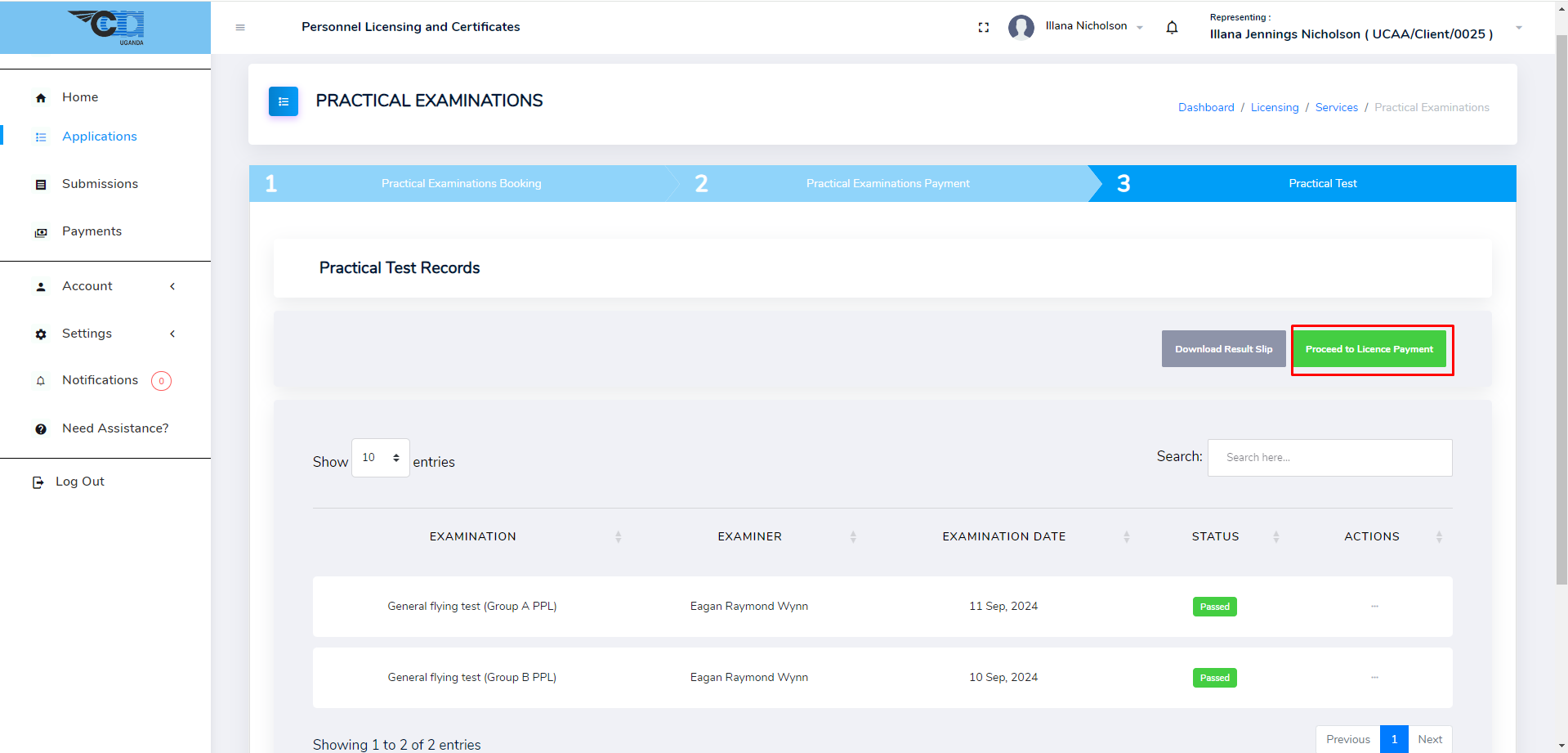
Practical Examinations
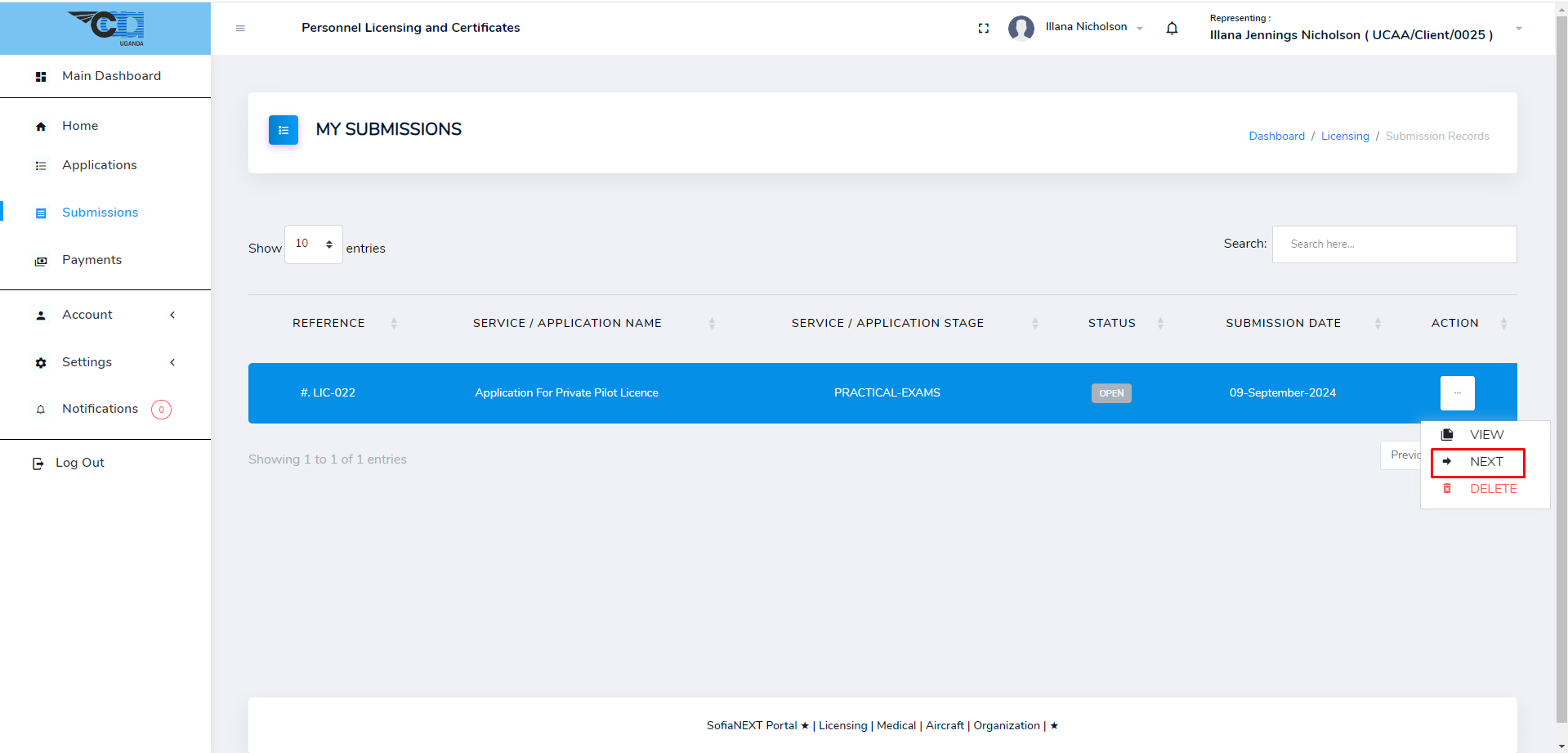
After acceptance by UCAA, click Next to proceed to Practical Examinations.
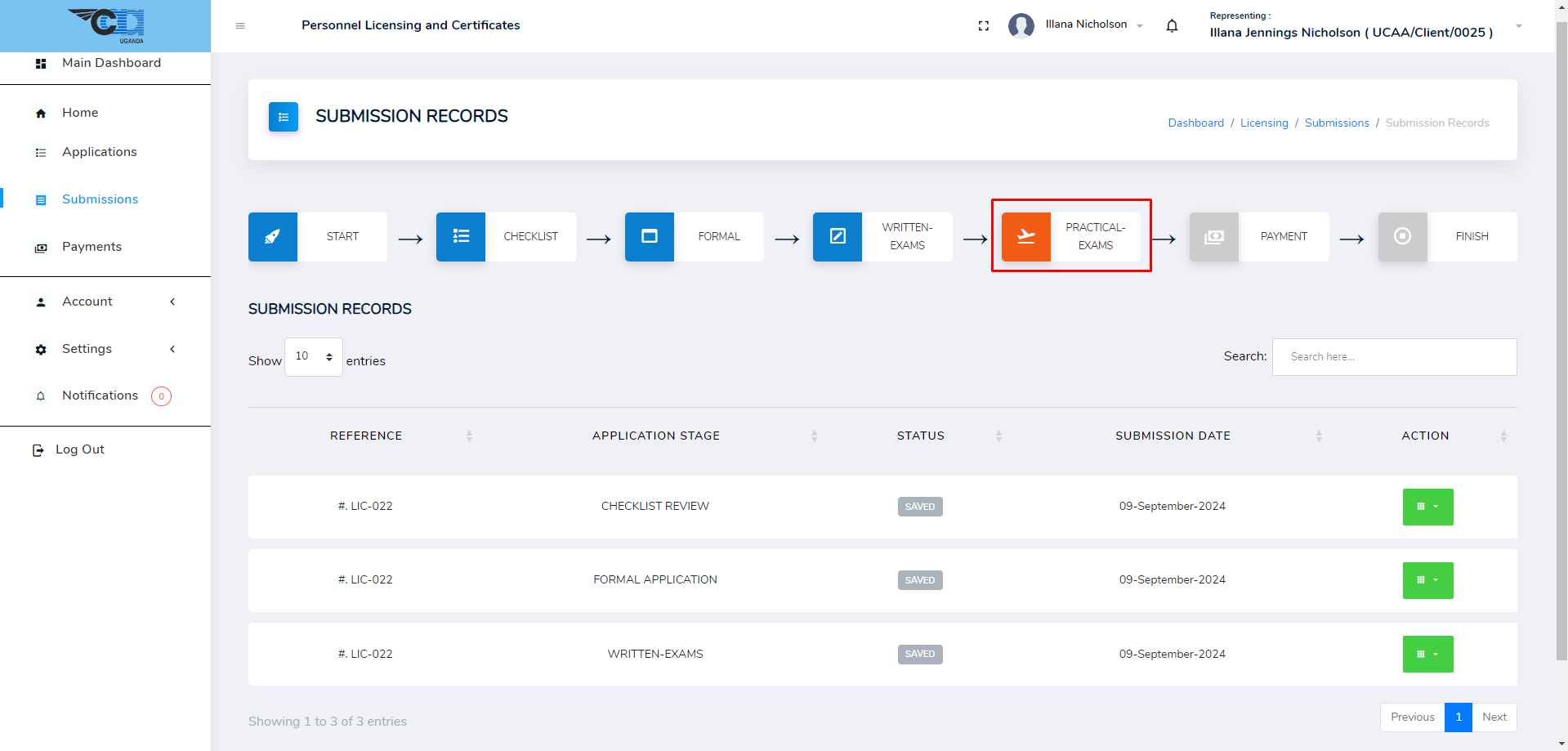
Alternatively, view the submission record and click PRACTICAL-EXAMS stage as shown below.
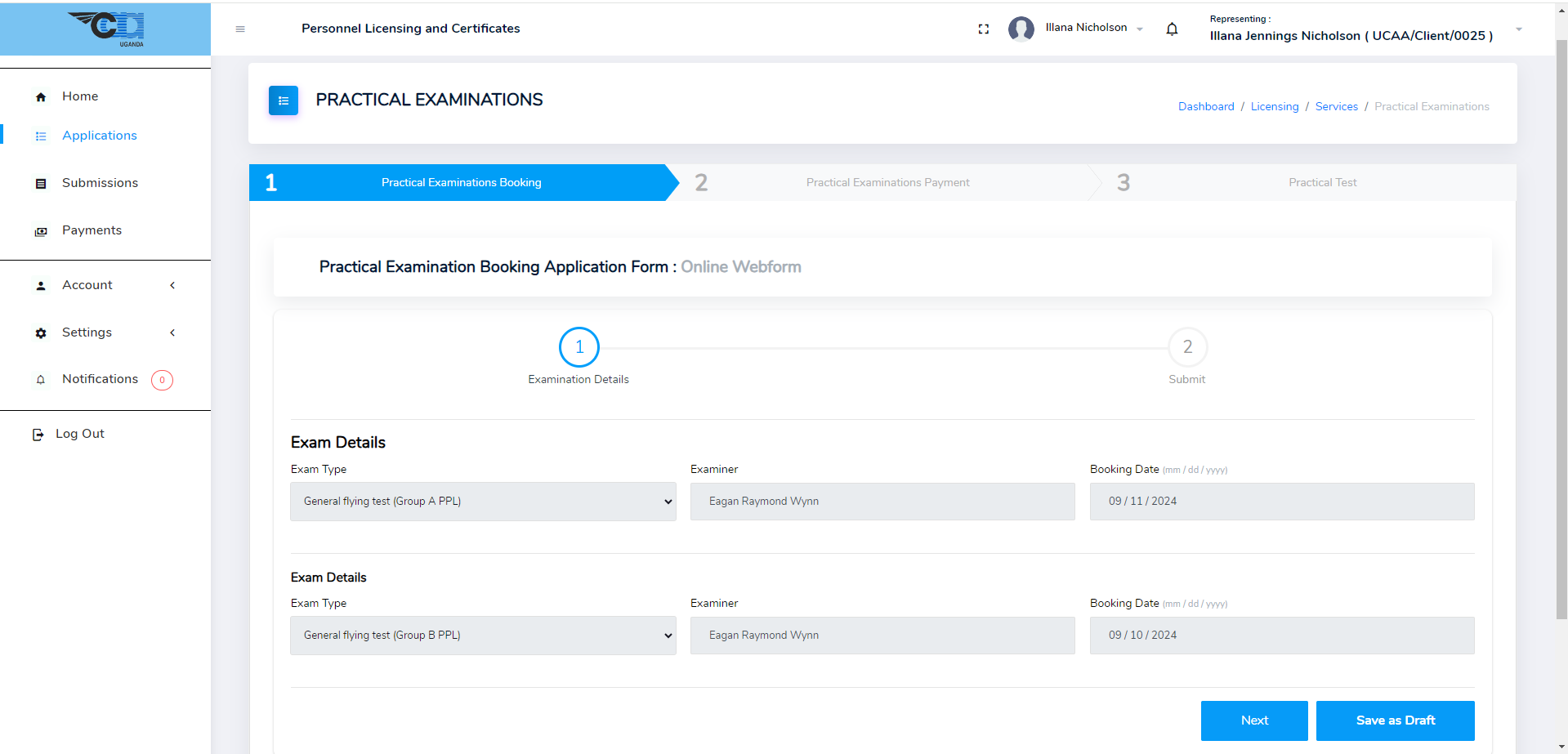
Practical Exams Booking
Here you can see the Exam type, Examiner assigned and the test date. Click Next to sign the declaration and Proceed to Payment.
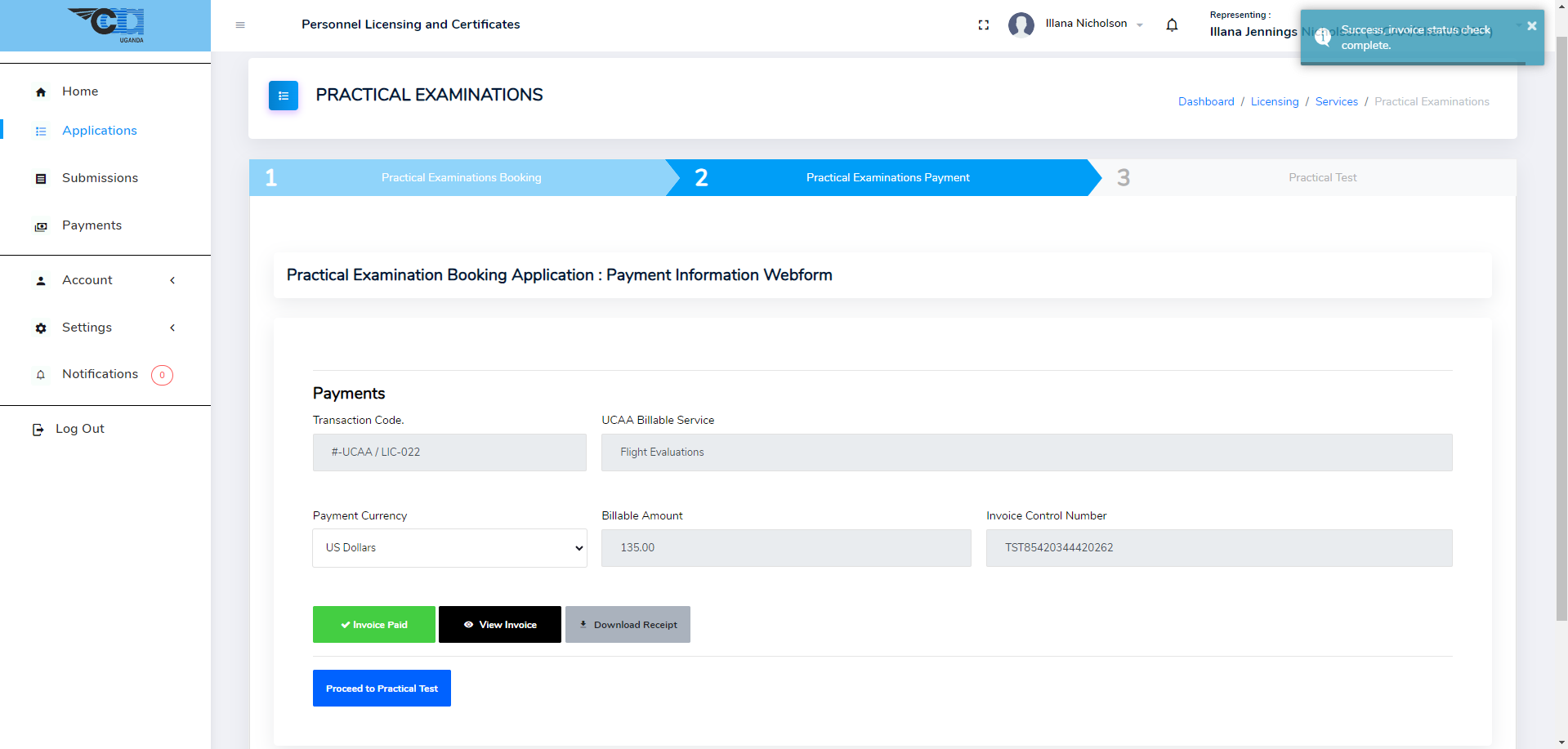
Practical Exams Payment
After successful submission, click Next to proceed to payment. Pay for the practical examinations at this point, and click Proceed to Practical Test once done.
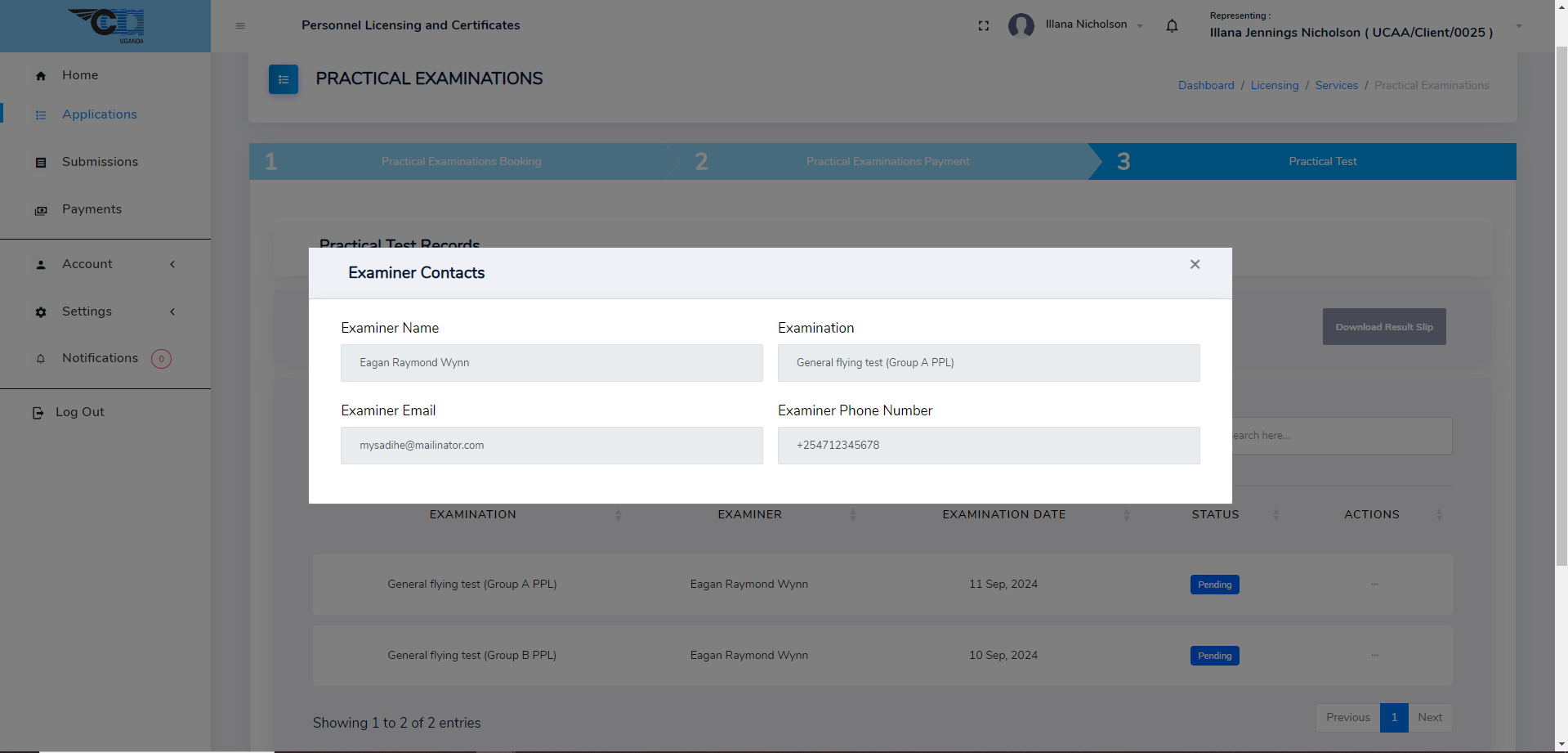
Practical Test Records
Click Next to see more details for practical tests including Examiner Contacts. Examiner Contacts can be viewed under Actions button for each exam.
Rebook Practical Exams
Click Rebook Practical Exam to rebook a failed test. Wait for approval from UCAA before proceeding.
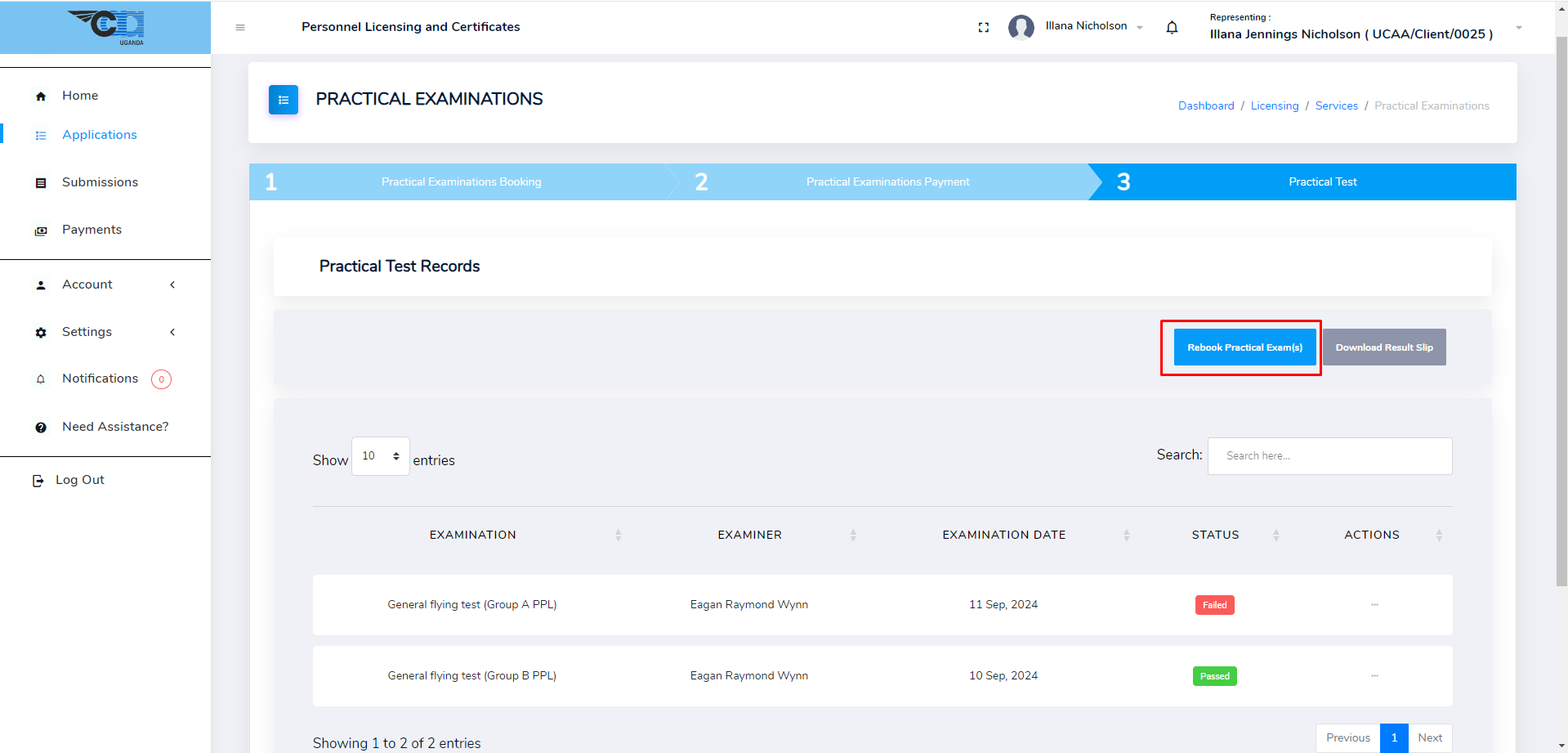
After, Approval proceed to the Next stage where you will book the failed tests, pay if needed to and be re-assessed. See See Practical Exams
After Passing Practical Exams
After passing practical exams, proceed to the Next Stage which depends with your application. In this case the next stage is License Payment. Proceed to License Payment